
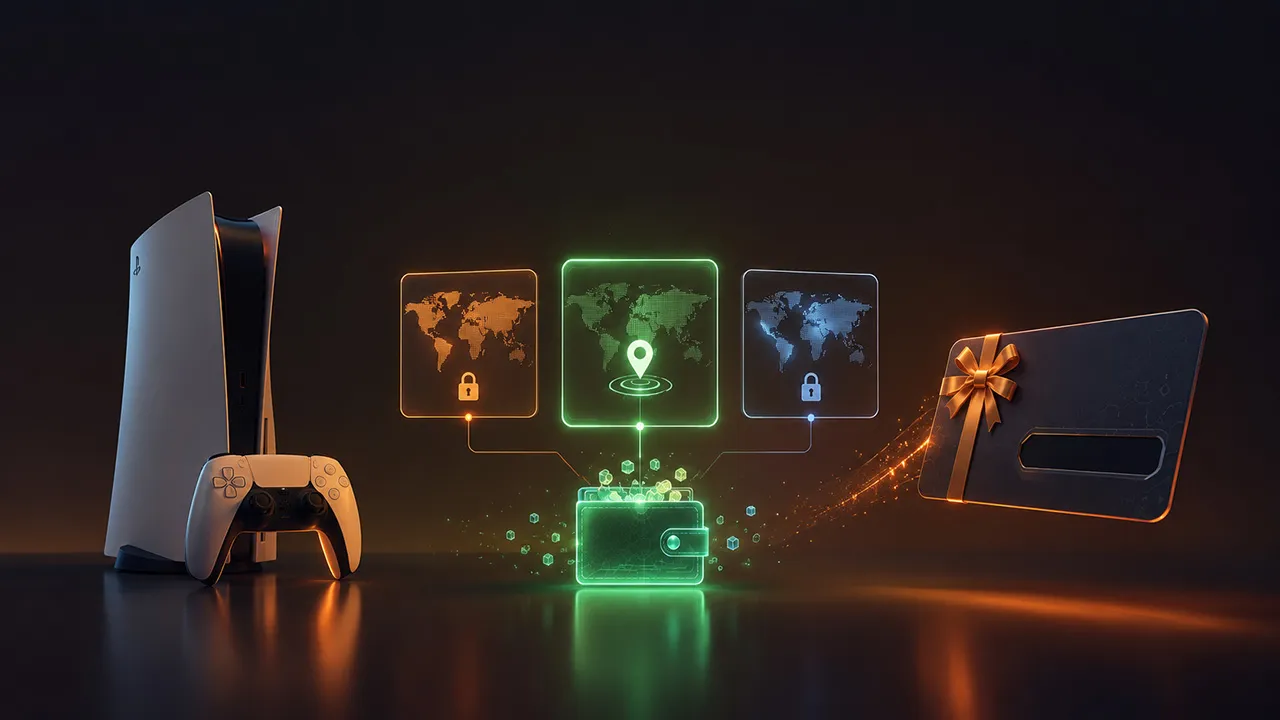
Buying a PSN Gift Card looks simple. You choose an amount, pay online, receive a digital code, and redeem it on your PlayStation account. But there is one detail that can ruin the whole process: region.
PSN Gift Card Region Lock means that your PlayStation gift card must match the country or region of your PlayStation Network account. If your account is registered in the United States, you need a US PSN Gift Card. If your account is registered in the United Kingdom, you need a UK-compatible card. If the region does not match, the code may fail.
This guide explains how PSN Gift Card region lock works, how to choose the right region, what to check before buying, and how to avoid common redeem errors. If you want to buy PSN Gift Cards online safely, this is the part you should understand first.
Quick Answer: Which PSN Gift Card Region Should You Buy?
Buy the PSN Gift Card that matches your PlayStation account country.
If your PlayStation account is US, buy a US PSN Gift Card.
If your PlayStation account is UK, buy a UK PSN Gift Card.
If your PlayStation account is Turkey, buy a Turkey PSN Gift Card.
If your PlayStation account is UAE, buy a UAE PSN Gift Card.
Do not choose a card only because it is cheaper. A cheaper card from the wrong region is not useful if it cannot be redeemed on your account.
The safest rule is simple: account country first, card region second.
What Is PSN Gift Card Region Lock?
PSN Gift Card region lock means that PlayStation Store voucher codes are connected to a specific country or store region. These codes are not universal.
Your PlayStation account has a country. Your PlayStation Store follows that country. Your wallet currency, product prices, voucher compatibility, and some content availability are connected to the same region.
For example, a US PlayStation account uses the US PlayStation Store. That account needs a US-compatible PlayStation gift card. A UK account needs a UK-compatible card. If you try to redeem a card from another region, the system may reject it.
This is why region lock matters before checkout, not after you receive the code.
Why Region Lock Matters for Gamers
Region lock is not just a small technical rule. It affects whether your gift card works, whether your wallet can be topped up, and whether you can buy the content you want.
A PSN Gift Card can help you buy games, DLC, add-ons, in-game currency, subscriptions, and other supported content from PlayStation Store. But the card needs to work with the account you are using.
Many redeem problems happen because buyers follow the wrong order. They see a good price, buy the card, receive the code, and only then check the region. By that point, fixing the mistake can be difficult.
The better order is:
Check your PlayStation account country.
Choose the matching PSN Gift Card region.
Buy from a trusted digital gift card store.
Redeem the code on the correct account.
That simple order can save you time, money, and support tickets.
How to Check Your PlayStation Account Region
Before buying a PSN Gift Card online, check your account details. Your PlayStation account country is usually selected when the account is created. In most cases, it is not something you can quickly change later.
You should check:
Your PlayStation account country
Your PlayStation Store currency
The PSN Gift Card region
The card amount
The product description
The seller’s delivery method
The seller’s support policy
If your account uses USD, you may need a US card. If it uses GBP, you may need a UK card. If it uses EUR, do not assume every EUR card will work automatically. You still need to check the exact store region and product details before buying.
When in doubt, do not guess. Check your account first.
PSN Gift Card vs PlayStation Game Code
A PSN Gift Card and a PlayStation digital game code are different products.
A PSN Gift Card adds wallet credit to your PlayStation account. You can then use that wallet balance to buy eligible products from PlayStation Store.
A PlayStation game code usually unlocks one specific game, edition, DLC, or add-on. It may also have its own platform and region rules.
Here is the simple difference:
PSN Gift Card = flexible wallet credit.
Digital game codes = access to a specific product.
If you want flexibility, a PSN Gift Card is usually the better choice. You can add balance first and decide what to buy later. If you already know exactly which game you want, digital game codes can be useful, but you must check the platform, edition, and region carefully.
PSN Gift Card vs Steam Gift Card Region Rules
If you have used a Steam Gift Card before, the idea may feel familiar. Both PlayStation and Steam use account region, wallet currency, and code compatibility rules.
A Steam Gift Card adds funds to your Steam Wallet. A PSN Gift Card adds funds to your PlayStation wallet. In both cases, buying the wrong region can create problems.
The difference is that PlayStation voucher codes are strongly tied to the country or region of the PlayStation account. That is why checking the account country before buying is so important.
If you are building a gaming budget across platforms, the same habit helps everywhere: check the account region before buying any wallet code.
Common PSN Gift Card Region Mistakes
| Mistake | What Happens | How to Avoid It |
|---|---|---|
| Buying the wrong region | The code may not redeem | Match the card region with your account country |
| Choosing only by price | The cheaper card may be unusable | Prioritize compatibility before discount |
| Buying for a friend without asking | The gift may not work | Ask for the recipient’s PSN account region |
| Confusing wallet cards with game codes | You may buy the wrong product | Check whether it adds balance or unlocks a game |
| Ignoring DLC region rules | Add-ons may not work as expected | Check game, DLC, and account region compatibility |
| Buying from unclear sellers | Support may be difficult | Use a trusted digital gift card store |
Can You Change Your PSN Region?
You should not buy the wrong card and expect to fix it by changing your PSN region later. PlayStation account country is selected when the account is created, and changing it is not a normal quick fix.
Some gamers create separate accounts for different regions. That may work for advanced users, but it can also make wallet balance, purchases, DLC, subscriptions, and account management more complicated.
For most buyers, the safest option is simple: use the account you already play on and buy the PSN Gift Card that matches that account.
PayPal vs USDT for Buying PSN Gift Cards
Many international buyers compare PayPal vs USDT when buying digital gift cards online. Both can be useful, depending on availability, fees, and personal preference.
PayPal is familiar and convenient for many buyers. It can be a good choice if you want a simple online payment option and the store supports it.
USDT is popular with crypto users and international shoppers. It can be useful when card payments are limited or when you prefer crypto-based checkout.
But for PSN Gift Cards, the payment method is only part of the process. The region matters more. Whether you pay with PayPal, USDT, or another method, you still need to choose the correct PlayStation gift card region.
A smooth payment cannot fix a wrong-region code.
How to Redeem a PSN Gift Card
After buying the correct region, redeeming the code is easy.
Sign in to your PlayStation account.
Open PlayStation Store.
Go to Redeem Codes.
Enter the 12-digit voucher code carefully.
Confirm the redemption.
Check your wallet balance or library.
If the code is a wallet top-up card, the balance should be added to your PlayStation wallet. If the code is for a specific game, add-on, or subscription, that content should be applied to your account.
Always redeem the code on the correct account. Once a code is redeemed, the funds or content usually cannot be moved to another account.
What to Do If Your PSN Gift Card Does Not Work
If your PSN Gift Card does not redeem, do not panic. Start with the basics.
Check the code again.
Make sure there are no typing mistakes.
Check whether the card region matches your account region.
Check whether the code has already been redeemed.
Check whether the code has expired.
Sign out and sign back in.
Contact the seller if the code appears unused but still does not work.
If the code is from the wrong region, you usually cannot force it to work on your current account. That is why checking before purchase is the most important step.
Buyer Checklist Before Checkout
Before you buy a PSN Gift Card online, use this quick checklist:
Does the card match your PlayStation account region?
Is the amount enough for the game or content you want?
Is the product a wallet card, not a game code?
Does the seller mention digital delivery?
Are PayPal or USDT payment options available if you need them?
Is support available if the code has an issue?
Are region details clearly written on the product page?
If any of these answers are unclear, pause before buying.
Buy PSN Gift Cards Online with TETHUB
If you want a simple way to buy PSN Gift Cards online, TETHUB helps gamers purchase digital gift cards with convenient online payment options such as PayPal and USDT where available.
This is useful if you want fast digital delivery, prefer online payment, or do not want to use a traditional bank card for gaming purchases. You can choose the product, select the amount, complete your payment, and receive the code digitally.
Before checkout, make sure you choose the correct PSN Gift Card region. If you are not sure which card you need, check your PlayStation account country first or contact support before placing your order.
The right card makes the process easy. The wrong card creates redeem errors.
Final Thoughts
PSN Gift Card Region Lock is one of the most important things to understand before buying a PlayStation gift card online. The rule is simple: your voucher code needs to match your PlayStation account region.
If you check the region first, buying a PSN Gift Card becomes much easier. You can add wallet credit, buy games, grab DLC, and prepare for new releases without relying on a credit card.
If you want flexibility, choose a PSN Gift Card. If you want one specific game, check digital game codes carefully. If you are choosing between PayPal vs USDT, pick the payment method that works best for you, but always choose the correct region first.
For most gamers, the safest buying path is clear: check your account region, choose the matching card, buy from a trusted store, redeem the code on the correct account, and enjoy your games.
FAQ
Are PSN Gift Cards region locked?
Yes. PSN Gift Cards are region locked. The card region needs to match the country or region of your PlayStation account.
How do I choose the right PSN Gift Card region?
Check your PlayStation account country first. Then buy a PSN Gift Card for the same country or store region.
Can I redeem a US PSN Gift Card on a UK account?
No. A US PSN Gift Card is meant for a US PlayStation account. A UK account needs a UK-compatible card.
Can I change my PSN region after buying the wrong card?
You should not rely on changing your PSN region as a fix. PlayStation account country is selected when the account is created and is not normally changed later.
What happens if I buy the wrong PSN Gift Card region?
The code may fail to redeem. You may need to contact the seller, but wrong-region codes are often difficult to fix after purchase.
Can I buy PSN Gift Cards with USDT?
Yes, if the digital gift card store supports USDT payments. You still need to choose the correct PSN Gift Card region.
Is PayPal better than USDT for PSN Gift Cards?
It depends on your payment preference and availability. PayPal is familiar for many users, while USDT is useful for crypto buyers. Region compatibility matters more than the payment method.
Are digital game codes the same as PSN Gift Cards?
No. A PSN Gift Card adds wallet credit. Digital game codes usually unlock a specific game, edition, DLC, or add-on.
Can I use a PSN Gift Card to buy DLC?
Yes, if the card adds wallet credit and the DLC is available for your account region. Always check game and DLC compatibility before buying.