
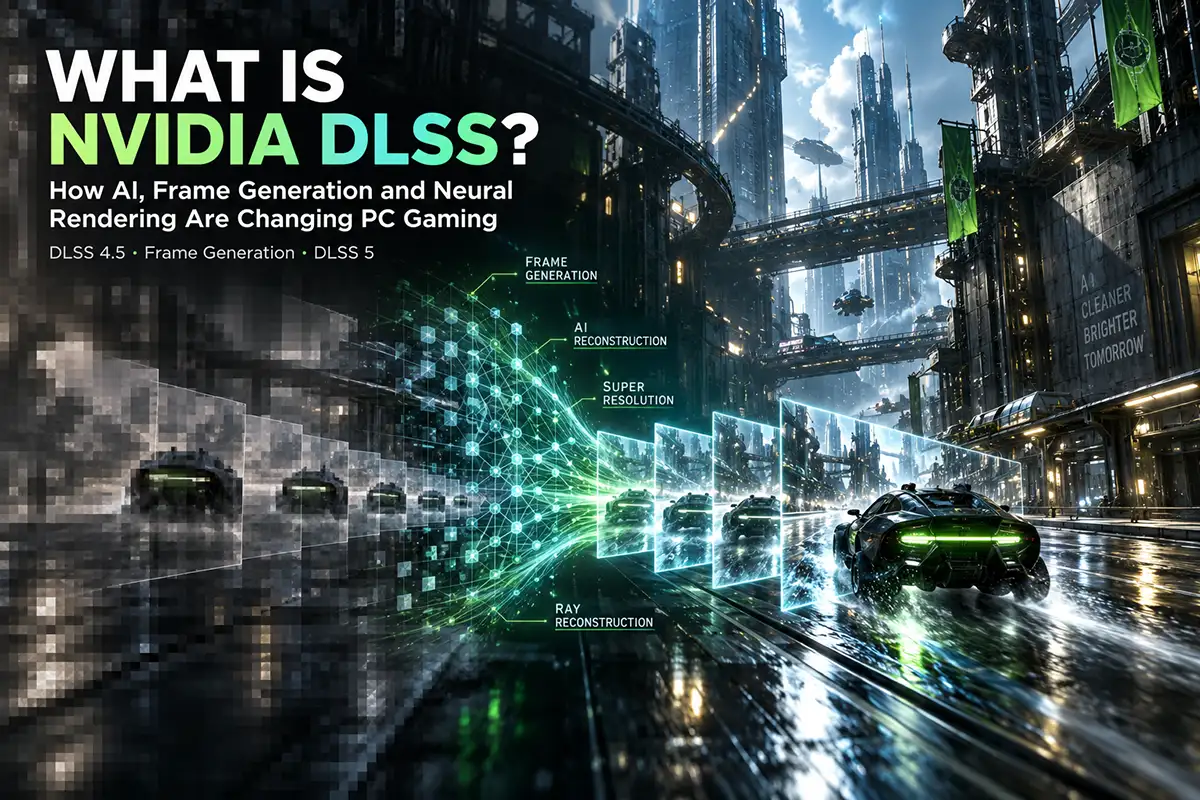
Open the graphics settings in almost any demanding modern PC game and there is a good chance you will find DLSS somewhere alongside resolution, ray tracing and other performance options. Turning it on can produce an immediate increase in frame rate, while Frame Generation on compatible graphics cards can push the FPS counter considerably higher. In games with advanced ray tracing or path tracing, Ray Reconstruction can also improve the appearance of reflections, shadows and complex lighting.
That makes DLSS sound like a simple performance setting, but the technology has become considerably more complicated over the years. NVIDIA DLSS is now a collection of AI-powered rendering technologies rather than a single form of upscaling. Super Resolution, Frame Generation, Ray Reconstruction, DLAA and newer neural-rendering technologies all belong to the same family, but each solves a different problem.
So, what is NVIDIA DLSS, does it genuinely increase FPS, and which features should you actually enable? For most gamers, the important part is not understanding every detail of the AI model behind DLSS. What matters is knowing how each option affects image quality, performance and responsiveness, and whether the tradeoff makes sense for your GPU and the type of game you are playing.
What Is NVIDIA DLSS?
DLSS stands for Deep Learning Super Sampling. The technology originally became known as NVIDIA's method of using artificial intelligence and the Tensor Cores inside GeForce RTX graphics cards to reconstruct a higher-resolution image from a lower-resolution render. By reducing the amount of work required to create each frame, the GPU could deliver better performance while attempting to preserve much of the visual quality of native rendering.
Modern DLSS has grown far beyond that original concept. NVIDIA now uses the DLSS name for a broader collection of neural-rendering technologies that handle different stages of the graphics pipeline. Super Resolution is still responsible for reconstructing higher-resolution images, but Frame Generation can create additional frames, Ray Reconstruction can replace traditional denoisers in ray-traced games, and DLAA can use the same AI technology to improve anti-aliasing without lowering the internal rendering resolution.
A simplified overview makes the differences easier to understand:
| DLSS Feature | What It Does |
|---|---|
| Super Resolution | Reconstructs a higher-resolution image from a lower-resolution input |
| Frame Generation | Creates additional AI-generated frames |
| Multi Frame Generation | Generates multiple additional frames for each rendered frame |
| Dynamic Multi Frame Generation | Dynamically adjusts the frame-generation multiplier |
| Ray Reconstruction | Uses AI to reconstruct ray-traced lighting, reflections and detail |
| DLAA | Applies AI-based anti-aliasing at native resolution |
| 3D-Guided Neural Rendering | Uses AI to enhance the appearance of lighting and materials |
Understanding this distinction is important because simply saying that a game "supports DLSS" no longer tells you exactly what is available. A title might support Super Resolution but not Frame Generation, or it may offer Ray Reconstruction only when ray tracing is enabled. The graphics card you own also determines which parts of the DLSS suite can be used.
How Does DLSS Super Resolution Work?
DLSS Super Resolution remains the most widely useful part of the technology. Imagine running a modern game at native 4K resolution. The GPU must produce more than eight million final pixels for every frame, while simultaneously processing textures, geometry, shadows, lighting and potentially demanding ray-tracing effects. As visual complexity increases, maintaining a high frame rate becomes increasingly difficult.
Instead of asking the GPU to render the entire final image at native resolution, DLSS Super Resolution can begin with a lower-resolution render and reconstruct the higher-resolution output using an AI model. The process also uses information such as motion vectors and data accumulated from previous frames, allowing the system to recover detail that would not be available through basic spatial upscaling.
The goal is not simply to make a smaller image larger. A successful DLSS implementation attempts to produce an image that remains stable and detailed while substantially reducing the rendering workload. In GPU-limited games, this can provide higher FPS, make demanding graphics presets more practical and create enough performance headroom to enable ray tracing without sacrificing smoothness.
DLSS does not remove every hardware limitation, however. Graphics memory still needs to hold textures, geometry and other assets, so an upscaling technology cannot compensate for every VRAM-related problem. TETHUB's guide to whether 8GB VRAM is still enough for modern PC gaming explains why memory capacity can remain an important limitation even when technologies such as DLSS are enabled.
Does DLSS Increase FPS?
Yes, but the answer becomes more useful when we separate rendered FPS from generated FPS. DLSS Super Resolution improves performance by lowering the amount of rendering work the GPU has to complete for each frame. If the graphics card is the main bottleneck, reducing that workload can allow the game engine and GPU to produce more traditionally rendered frames every second.
DLSS Frame Generation increases the displayed frame rate in a different way. Instead of reducing the cost of each traditionally rendered frame, it analyzes existing frames and creates additional frames between them. These generated frames are genuinely displayed on the monitor and can make movement appear much smoother, but they are not equivalent to frames produced normally by the entire game-rendering pipeline.
This distinction explains why two systems displaying the same FPS number can still feel different. A game running at a genuine 100 rendered FPS generally offers better underlying responsiveness than a game starting at a much lower base frame rate and using Frame Generation to reach the same displayed number. Both can appear smooth, but input response and game simulation do not scale identically with generated frames.
How DLSS Frame Generation Works
DLSS Frame Generation uses AI to analyze consecutive frames, motion information and other visual data before creating an additional frame that fits between the two traditionally rendered images. This allows the display to show more frames without requiring the GPU to fully render each additional one from scratch.
The technology is particularly useful in visually demanding single-player games where ray tracing, high resolution and complex scenes make very high conventional frame rates difficult to achieve. In those situations, Frame Generation can significantly improve perceived smoothness while allowing players to keep more demanding visual settings enabled.
NVIDIA pairs Frame Generation with Reflex to help reduce system latency, but this does not eliminate the importance of the underlying frame rate. Frame Generation generally works best when the game already runs at a reasonably comfortable level before it is enabled. If the base performance is extremely low, a much larger displayed FPS number can make motion smoother without making controls feel as responsive as that number might suggest.
For that reason, Frame Generation is better understood as a way to enhance an already playable experience rather than a substitute for sufficient underlying performance.
Rendered FPS vs Generated FPS: Why Gamers Should Care
The difference between rendered and generated frames is one of the most important concepts in modern PC graphics. A traditionally rendered frame is produced through the game's normal pipeline, where the engine processes player input, simulation, geometry and other information before the GPU generates the final image. Increasing this base frame rate can therefore improve both visual smoothness and responsiveness.
A generated frame is inserted between those conventionally rendered frames. It improves the visual continuity of motion but does not cause the game engine to process player input or simulation at the same multiplied rate. This is why an FPS counter alone is becoming less useful as a complete measurement of how responsive a game feels.
That does not make generated frames "fake" in any meaningful sense. They are real frames displayed on the screen and can provide a substantial visual improvement. The important point is simply that displayed FPS and underlying rendered FPS now describe two different aspects of the gaming experience, particularly when Frame Generation or Multi Frame Generation is enabled.
What Is Multi Frame Generation?
Multi Frame Generation takes the same idea further by generating several additional frames instead of only one. On supported GeForce RTX 50 Series GPUs, NVIDIA's current implementation can create multiple AI-generated frames around each traditionally rendered frame, with higher multipliers allowing the displayed output to reach extremely high frame rates.
This becomes particularly valuable at 4K resolution, when path tracing is enabled, or when using displays capable of refresh rates well above 120Hz. Reaching those frame rates through traditional rendering alone can require an enormous amount of GPU performance, especially in modern AAA games.
The tradeoff is that an increasingly large percentage of the frames displayed on screen are generated rather than traditionally rendered. As the multiplier rises, the quality of the base frame rate and the effectiveness of latency management become even more important. Multi Frame Generation can deliver exceptionally smooth motion, but it does not remove the need for a strong underlying performance foundation.
What Is Dynamic Multi Frame Generation?
DLSS 4.5 adds another layer to this system through Dynamic Multi Frame Generation on compatible RTX 50 Series graphics cards. Instead of applying the same frame-generation multiplier throughout the entire game, the technology can adjust the multiplier as the rendering workload changes.
This makes sense because game performance is rarely constant. A simple indoor environment may be relatively easy to render, while entering a dense city, looking across a large open world or enabling complex path-traced lighting can suddenly place far more pressure on the GPU. Dynamic Multi Frame Generation is designed to react to these changes and use an appropriate multiplier to help maintain a target level of smoothness.
The result is a more adaptive approach than traditional fixed Frame Generation. For players using high-refresh-rate 4K displays, this technology can be particularly useful because it attempts to balance performance, image quality and responsiveness rather than simply generating the maximum possible number of frames at all times.
What Is DLSS Ray Reconstruction?
Ray tracing produces realistic lighting, reflections and shadows by simulating how light interacts with a scene. The problem is that tracing enough rays to create a completely clean image in real time would require enormous computing power, so games need to reconstruct incomplete information and remove visual noise.
Traditional ray-traced rendering often relies on several manually designed denoisers for different visual effects. DLSS Ray Reconstruction replaces many of those systems with an AI model trained to reconstruct higher-quality pixels from limited ray-tracing information. Instead of simply smoothing noise, the technology attempts to understand how lighting and detail should appear across frames.
In supported games, this can improve reflection stability, indirect lighting, fine details and the appearance of path-traced scenes during movement. Ray Reconstruction is therefore very different from Frame Generation: its main goal is to improve the quality of ray-traced rendering rather than simply create more displayed frames.
The increasing role of AI in real-time graphics is part of a broader shift taking place across the industry. TETHUB's analysis of how AI is changing modern game development explores how artificial intelligence is affecting graphics, development tools and the production of modern games beyond technologies such as DLSS.
What Is DLAA?
DLAA, or Deep Learning Anti-Aliasing, uses technology derived from DLSS Super Resolution but applies it with a native-resolution input. Instead of lowering the internal resolution to improve performance, DLAA keeps the game rendering at its selected native resolution and uses the neural model primarily to improve edge quality and image stability.
This makes DLAA useful for players whose GPUs already provide enough performance. If a game runs comfortably at native 1440p or 4K and additional FPS is not necessary, DLAA can offer a way to use NVIDIA's AI-based reconstruction technology primarily for image quality.
The easiest way to distinguish the two is to think of DLSS Super Resolution as a performance-oriented reconstruction technology, while DLAA uses similar technology primarily as an advanced anti-aliasing solution at native resolution.
What Is DLSS 4.5?
DLSS 4.5 represents a major refinement of NVIDIA's established neural-rendering technologies. One of its most important changes is the introduction of a second-generation Transformer model for Super Resolution and Ray Reconstruction, designed to provide better temporal stability, anti-aliasing, motion clarity and reconstruction of fine detail.
These improvements matter because image quality has always been one of the main concerns surrounding upscaling. Earlier reconstruction methods could sometimes introduce ghosting, unstable thin geometry or visible artifacts during movement. More capable models give NVIDIA additional room to improve those weaknesses while still reducing the rendering cost of high-resolution gaming.
On RTX 50 Series graphics cards, DLSS 4.5 also expands Frame Generation through Dynamic Multi Frame Generation and higher generation multipliers. This means the update is not simply about displaying a larger FPS number; it combines improvements to reconstructed image quality with increasingly flexible methods of creating additional frames.
What Is DLSS 5?
DLSS 5 pushes neural rendering into another part of the graphics pipeline through 3D-Guided Neural Rendering. Instead of acting only as an upscaler or frame-generation system, the technology uses information supplied by the game engine to help enhance the appearance of lighting, materials and surfaces.
The distinction is important because DLSS 5 is not generating an unrelated replacement image from a text prompt. The game's original geometry, textures, motion data and artistic direction remain the foundation of the scene. Neural rendering then uses that structured 3D information to improve how certain visual properties appear.
This approach can potentially enhance material response, contact shadows, skin lighting, light transmission and other subtle aspects of rendering that contribute to realism. In other words, DLSS is moving from reconstructing the final output toward participating more directly in how a game's visual appearance is produced.
For gamers, this provides a preview of where PC graphics may be heading. Future improvements may rely increasingly on combining conventional rendering with neural networks rather than attempting to calculate every final visual detail entirely through brute-force graphics processing.
DLSS 4.5 vs DLSS 5: What Is the Difference?
The version numbers can create the impression that DLSS 5 simply replaces DLSS 4.5, but that is not the most useful way to think about NVIDIA's current technology. DLSS has gradually become a toolkit containing different features, and newer additions can work alongside technologies introduced in earlier generations.
DLSS 4.5 primarily improves established areas such as Super Resolution, Ray Reconstruction and advanced Frame Generation. DLSS 5 adds 3D-Guided Neural Rendering, extending AI into areas such as material and lighting enhancement. A compatible game can therefore potentially use multiple DLSS technologies at the same time rather than choosing one version and abandoning everything associated with previous versions.
This is why the DLSS name has become increasingly broad. Instead of representing one algorithm, it now describes an expanding neural-rendering platform that developers can integrate into different stages of the real-time graphics pipeline.
Which GPUs Support NVIDIA DLSS?
Not every GeForce RTX graphics card supports every DLSS feature. Super Resolution, DLAA and Ray Reconstruction are available across a much wider range of RTX hardware, while newer forms of Frame Generation depend on architectural features introduced in later generations.
| DLSS Feature | RTX 20 | RTX 30 | RTX 40 | RTX 50 |
|---|---|---|---|---|
| Super Resolution | ✓ | ✓ | ✓ | ✓ |
| DLAA | ✓ | ✓ | ✓ | ✓ |
| Ray Reconstruction | ✓ | ✓ | ✓ | ✓ |
| Frame Generation | — | — | ✓ | ✓ |
| Multi Frame Generation | — | — | — | ✓ |
| Dynamic Multi Frame Generation | — | — | — | ✓ |
| DLSS 5 3D-Guided Neural Rendering | — | — | — | ✓ |
The table also explains why asking whether a GPU "supports DLSS" is no longer specific enough. An RTX 30 Series graphics card can still benefit from Super Resolution and Ray Reconstruction even though it cannot use Frame Generation, while RTX 40 Series cards add Frame Generation but do not gain every capability introduced with RTX 50 hardware.
The more useful question is therefore which DLSS features your particular GPU supports, rather than whether DLSS works on the card at all.
DLSS Quality vs Balanced vs Performance
DLSS Super Resolution normally provides several presets that change the relationship between internal rendering resolution and final output quality. The best choice depends on your target resolution, GPU performance and how sensitive you are to differences in image reconstruction.
Quality mode is usually the best starting point because it maintains a relatively high internal rendering resolution while still reducing GPU workload. At 1440p and 4K, it often offers the most attractive balance between performance and image quality, particularly in story-driven or visually demanding games where maintaining detail matters more than maximizing every possible frame.
Balanced mode lowers the internal resolution further and can make sense when Quality mode almost reaches your desired performance target but remains slightly too demanding. Performance mode prioritizes FPS more aggressively and tends to work best when the final resolution is high enough, particularly at 4K with demanding ray tracing or path tracing enabled.
At lower output resolutions, aggressive upscaling modes have less source information available for reconstruction, so visual compromises become easier to notice. A practical rule is to begin with DLSS Quality and move toward Balanced or Performance only when the additional frame rate is genuinely necessary.
DLSS vs Native Resolution: Which Looks Better?
There is no universal answer to the DLSS vs Native Resolution debate because the result depends heavily on the game, resolution, DLSS model and anti-aliasing method used by the engine. Native resolution avoids the need to reconstruct a lower-resolution input, but that does not automatically mean every element of the image will be cleaner or more stable.
Modern games already rely heavily on temporal anti-aliasing and other reconstruction techniques. A well-implemented DLSS Quality mode can sometimes provide cleaner edges, improved stability or better handling of fine geometry than a game's native anti-aliasing solution. In other titles, native rendering may preserve small details more consistently or avoid particular reconstruction artifacts.
DLSS can still produce issues such as ghosting, softness, instability in thin geometry or artifacts around particles and rapidly moving objects. Newer Transformer models are designed to reduce these weaknesses, but implementation quality remains important. The best approach is therefore practical: compare DLSS Quality with native rendering in the specific game you are playing and decide whether the performance improvement justifies any visible difference.
Does DLSS Reduce Latency?
The relationship between DLSS and latency depends on which part of the technology is being used. Super Resolution can reduce latency when it raises the game's underlying rendered frame rate, because the GPU completes each traditionally rendered frame more quickly.
Frame Generation is more complicated. It increases displayed smoothness by inserting additional frames but does not provide an equivalent increase in how frequently the game engine processes player input. NVIDIA uses Reflex alongside Frame Generation to reduce system latency and make the final experience more responsive, but generated FPS should still not be interpreted as identical to the same amount of traditionally rendered FPS.
For single-player AAA games, the balance can be excellent because visual smoothness often matters more than achieving the absolute lowest possible latency. Competitive players should be more cautious and prioritize a high underlying frame rate before considering Frame Generation.
What Are the Downsides of DLSS?
DLSS can provide substantial benefits, but it cannot solve every performance problem. Super Resolution primarily reduces GPU rendering load, so a game that is heavily limited by CPU performance may receive a much smaller improvement. Likewise, Frame Generation can make motion smoother but cannot transform a very poor underlying frame rate into genuinely high responsiveness.
Image reconstruction can also introduce occasional artifacts. Fast-moving objects, transparent effects, particle systems, interface elements and extremely fine geometry can challenge temporal AI models, particularly when aggressive Performance presets are used. The quality of these results differs from one game to another.
DLSS also does not increase your graphics card's physical VRAM or eliminate the need for sufficient hardware. A GPU struggling with memory limitations, CPU bottlenecks or very demanding game logic can still encounter performance problems even when DLSS is enabled. The technology is best viewed as a powerful optimization tool rather than a replacement for capable hardware.
Why DLSS and Ray Tracing Work So Well Together
Ray tracing and path tracing demonstrate why technologies such as DLSS have become increasingly important. Advanced lighting can dramatically improve reflections, shadows and global illumination, but calculating those effects at native high resolutions requires enormous processing power.
DLSS attacks that performance problem from several directions. Super Resolution reduces the amount of high-resolution rendering required, Ray Reconstruction attempts to recover ray-traced detail more intelligently, and Frame Generation increases displayed smoothness without forcing the GPU to conventionally render every frame shown on screen.
On newer RTX hardware, Multi Frame Generation extends that strategy even further. The combination allows developers to target visual effects that would be extremely difficult to deliver at high resolutions and high frame rates through traditional rendering alone.
The increasing complexity of modern visuals also contributes to longer and more expensive development cycles. TETHUB's analysis of why modern AAA games take so long to develop examines how larger worlds, advanced graphics and rising technical expectations affect game production.
Should You Turn DLSS On?
For most GeForce RTX owners playing demanding modern games, DLSS Super Resolution is worth testing rather than automatically leaving disabled. The best configuration depends on resolution, graphics settings, the GPU generation and whether you care more about image quality, smoothness or minimum latency.
| Gaming Situation | Recommended Starting Point |
|---|---|
| 4K AAA gaming | DLSS Quality |
| 4K with heavy ray tracing | DLSS Quality or Balanced + Ray Reconstruction |
| 1440p demanding game | DLSS Quality |
| RTX 40 with demanding ray tracing | Super Resolution + Frame Generation if needed |
| RTX 50 high-refresh gaming | Super Resolution + Multi Frame Generation where useful |
| Strong native performance | Native resolution + DLAA |
| Competitive multiplayer | Prioritize high base FPS and low latency |
| Very low base frame rate | Lower demanding settings before relying on Frame Generation |
There is no reason to enable every DLSS technology simply because the option is available. Super Resolution may be enough for one game, while another title might benefit considerably from Ray Reconstruction or Frame Generation. The best approach is to understand which limitation you are trying to solve and enable the appropriate feature rather than treating DLSS as one universal switch.
Is NVIDIA DLSS Worth Using in 2026?
For most RTX gamers, the answer is yes. DLSS Super Resolution remains one of the most practical tools available for improving GPU-limited performance, particularly at 1440p and 4K. Ray Reconstruction can significantly improve demanding ray-traced scenes, while Frame Generation makes it possible to achieve a level of visual smoothness that would otherwise require much more conventional rendering power.
The value becomes even greater on newer hardware. RTX 50 Series GPUs add Multi Frame Generation and Dynamic Multi Frame Generation, while DLSS 5 expands neural rendering into the appearance of lighting and materials. These technologies show that NVIDIA is increasingly treating AI as part of the rendering pipeline itself rather than simply as a post-processing tool.
This transition is part of a broader change taking place across the gaming industry. TETHUB's analysis of the future of gaming and emerging technologies explores how AI, increasingly demanding graphics and changing hardware priorities are influencing the way future games are designed and played.
Final Thoughts
So, what is NVIDIA DLSS in 2026? Calling it an AI upscaler is no longer enough. DLSS has developed into a suite of neural-rendering technologies that improve different parts of the graphics pipeline, from high-resolution image reconstruction and ray-traced lighting to anti-aliasing and AI-generated frames.
Super Resolution remains the most broadly useful feature because it can increase actual rendered performance while maintaining strong image quality. Frame Generation and Multi Frame Generation can push displayed smoothness much further on compatible hardware, while Ray Reconstruction improves demanding ray-traced visuals. DLSS 4.5 refines the quality and flexibility of these systems, and DLSS 5 shows how neural rendering can become directly involved in the appearance of materials and lighting.
For gamers, the most important lesson is not to judge the technology only by the FPS counter. A good gaming experience depends on the relationship between image quality, base rendered performance, displayed smoothness and input latency. When those elements are balanced correctly, NVIDIA DLSS can provide one of the most meaningful graphics and performance advantages available on modern GeForce RTX hardware.
Frequently Asked Questions
1. What is NVIDIA DLSS?
NVIDIA DLSS is a suite of AI-powered rendering technologies for GeForce RTX GPUs. It can improve performance, reconstruct higher-resolution images, generate additional frames and enhance ray-traced graphics.
2. Does DLSS increase FPS?
Yes. Super Resolution can increase the underlying rendered FPS by reducing GPU workload, while Frame Generation increases displayed FPS by creating additional AI-generated frames.
3. Is DLSS better than native resolution?
It depends on the game. DLSS Quality can look very close to native resolution while delivering higher performance, although some games may still show reconstruction artifacts or slightly softer details.
4. Which RTX GPUs support Frame Generation?
Frame Generation is available on RTX 40 and RTX 50 Series GPUs. RTX 20 and RTX 30 cards still support features such as Super Resolution, Ray Reconstruction and DLAA.
5. What is the difference between DLSS 4.5 and DLSS 5?
DLSS 4.5 improves Super Resolution, Ray Reconstruction and advanced Frame Generation. DLSS 5 adds 3D-Guided Neural Rendering, which uses AI to enhance lighting and material appearance.
6. Should I enable DLSS?
For most demanding games on RTX hardware, DLSS is worth trying. Start with Quality mode and only use more aggressive presets or Frame Generation when additional performance is needed.